AI Focus Checklist: Deep Work for Busy Professionals
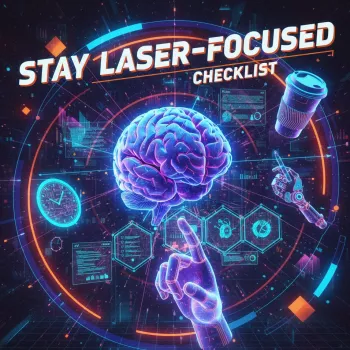
Stay Laser-Focused at Work: An AI-Assisted Checklist for Busy Professionals
Distractions rarely show up as one big problem—they arrive as pings, tab-hopping, unclear priorities, and constant context switching. A simple checklist can turn focus into a repeatable routine, and AI can remove friction by helping plan the day, clarify next actions, and reduce mental load. The structure below walks through a practical setup: define outcomes, protect deep-work time, automate prep, and build a review loop that keeps momentum without burnout.
What “laser-focused” looks like in a modern workday
Focus isn’t a personality trait—it’s a system you can run daily. Think: clear outcomes, limited work-in-progress, and protected attention windows. The aim isn’t perfect concentration; it’s quick recovery from distraction and steady progress on high-impact tasks.
Most “focus leaks” come from ambiguous tasks (“work on project”), reactive communication (replying to everything first), too many open loops (unfinished decisions), and environmental noise. A checklist works best when it’s used the same way every day: a start-of-day setup, a few focus blocks, and an end-of-day shutdown. That repeatability lowers the mental cost of getting started and makes attention easier to direct.
For a quick definition, the APA describes attention as the concentration of awareness on some phenomenon while excluding others—exactly the skill your routine needs to protect (APA Dictionary of Psychology: attention).
The core checklist: set outcomes, then shrink the field of attention
Start by writing 1–3 outcomes for the day in plain language—what will be true by the end of the day. Then convert outcomes into next physical actions (a draft to write, a document to review, a call to schedule). This matters because “do the thing” is not an action; an action is something you can start in under 60 seconds.
Next, limit work-in-progress: pick one primary task for your first focus block before checking messages. Define “done” for each task so it doesn’t expand indefinitely. Finally, create a quick capture lane for interruptions (one scratchpad, one notes file, or one inbox). Capturing keeps a new thought from hijacking the current one.
| Vague task | Clarifying question | Next action | Definition of done |
|---|---|---|---|
| “Work on the report” | What section is needed next? | Draft the executive summary (150–200 words) | Summary drafted and shared for review |
| “Prepare for the meeting” | What decision must be made? | List 3 options with pros/cons in a one-page note | One-page note sent to attendees |
| “Handle email” | Which threads impact today’s outcomes? | Reply to the 5 threads tagged ‘Today’ | Inbox returns to pre-set baseline (e.g., <20) |
Use AI to remove friction (without handing over your judgment)
AI helps most when you feed it structured inputs: your role, current priorities, constraints, and available time blocks. With that context, it can draft a realistic daily plan that puts a deep-work block first, then meetings, then admin tasks.
AI is also useful for “clean-up work”: turning messy notes into a clear task list with owners, deadlines, and next steps; drafting outlines; creating meeting agendas; summarizing long threads; and preparing decision briefs that compare options and identify risks to validate next. For responsible use, follow well-known AI governance guidance—especially around accuracy, transparency, and human oversight (NIST AI Risk Management Framework; OECD AI Principles).
To keep AI from becoming another distraction, constrain it to two moments: before the session (plan/clarify/draft) and after the session (summarize/follow up). If using AI adds extra steps or fuels indecision, revert to the checklist and choose the next action manually.
Design a distraction-resistant environment
Your environment should make the focused choice the easy choice. Put your phone in focus mode, remove non-essential notification badges, and place it out of reach during deep work. On your computer, close unused tabs, pin only essential tools, and follow a “single reference window” rule (one place for supporting material, not five).
Focus blocks that actually finish work
Pre-focus (2 minutes)
During focus
End-of-block
A simple review loop to keep the system working
Digital checklist option: ready-to-use format for professionals
- Stay Laser-Focused: Checklist | Digital Productivity Guide for Professionals | How to Use AI to Improve Focus on Work (digital download)
- Speak Smarter with AI | Printable & Digital Checklist | How to Use AI to Practice Public Speaking | Improve Confidence, Voice & Presentation Skills (for clearer communication and less rework)
- Study Better Using AI Tools – Printable & Digital Checklist for Students | Learn How to Use AI to Find Study Resources | Productivity & Learning Guide (useful if your work includes heavy learning or certification prep)
FAQ
How can AI help improve focus without creating more distractions?
Use AI before the work session for planning, clarifying next actions, and drafting quick first versions, then after the session for summaries and follow-ups. Keep AI closed during deep work except for a pre-defined, fast query that directly supports the current next action.
What should be on a daily focus checklist for professionals?
Include 1–3 outcomes, the next physical action for each, a protected deep-work block, two message-check windows, a distraction capture list, and a 5-minute end-of-day shutdown review. These elements keep priorities visible and reduce context switching.
How do you recover quickly after getting distracted at work?
Do a short reset: write down the distraction, return to the next action, set a 10–25 minute timer, and start with the smallest visible step. The goal is rapid re-entry, not catching up on everything at once.




Leave a comment